When copies differ
A service does not always hand everyone the same copy of an episode. In some regions a promo or a "stay tuned" card plays before the episode starts, so that copy runs longer. Kept in step second for second, the people on the longer copy would trail everyone else by the length of those extras for the whole episode.
Gather & Join can skip the extras on the longer copy, but it cannot see where they end. Someone in the room tells it, and getting that exactly right can take a couple of tries.
What you see
When the room's copies differ by more than 5 seconds, the participant rail says so and gives the length of each copy. Everyone in the room sees it, and anyone can set it.
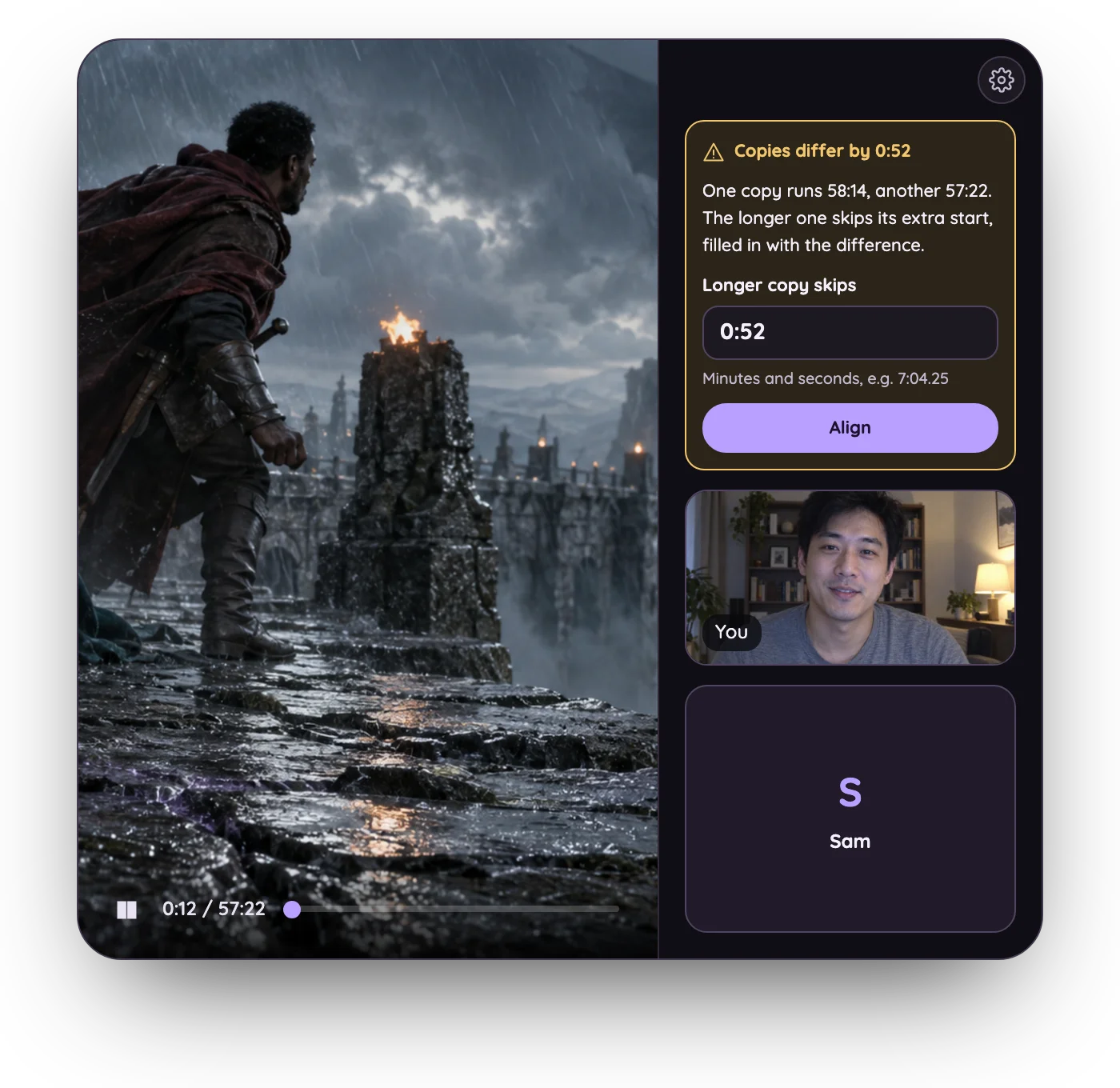
Longer copy skips starts at the difference between the two lengths. That is exactly right when all the extras are at the start, which is the usual case.
Set it
- Press Align with the suggested value. It goes to the whole room, and the notice leaves the rail. Until you press Align, editing the field changes only your own suggestion; nobody else sees it.
- Check it on the call. Play the opening and pick a moment that is easy to call out, such as a cut to a new shot or the first line of dialogue. Someone on each copy says "now" when they see it.
- If you saw it together, you are done. If not, adjust it.
Adjust it
The difference is only a starting point. If the longer copy also has a few extra seconds at the end, such as a card after the credits, the difference overstates what sits in front, and the longer copy ends up ahead.
Open the gear at the top of the participant rail and change Longer copy skips:
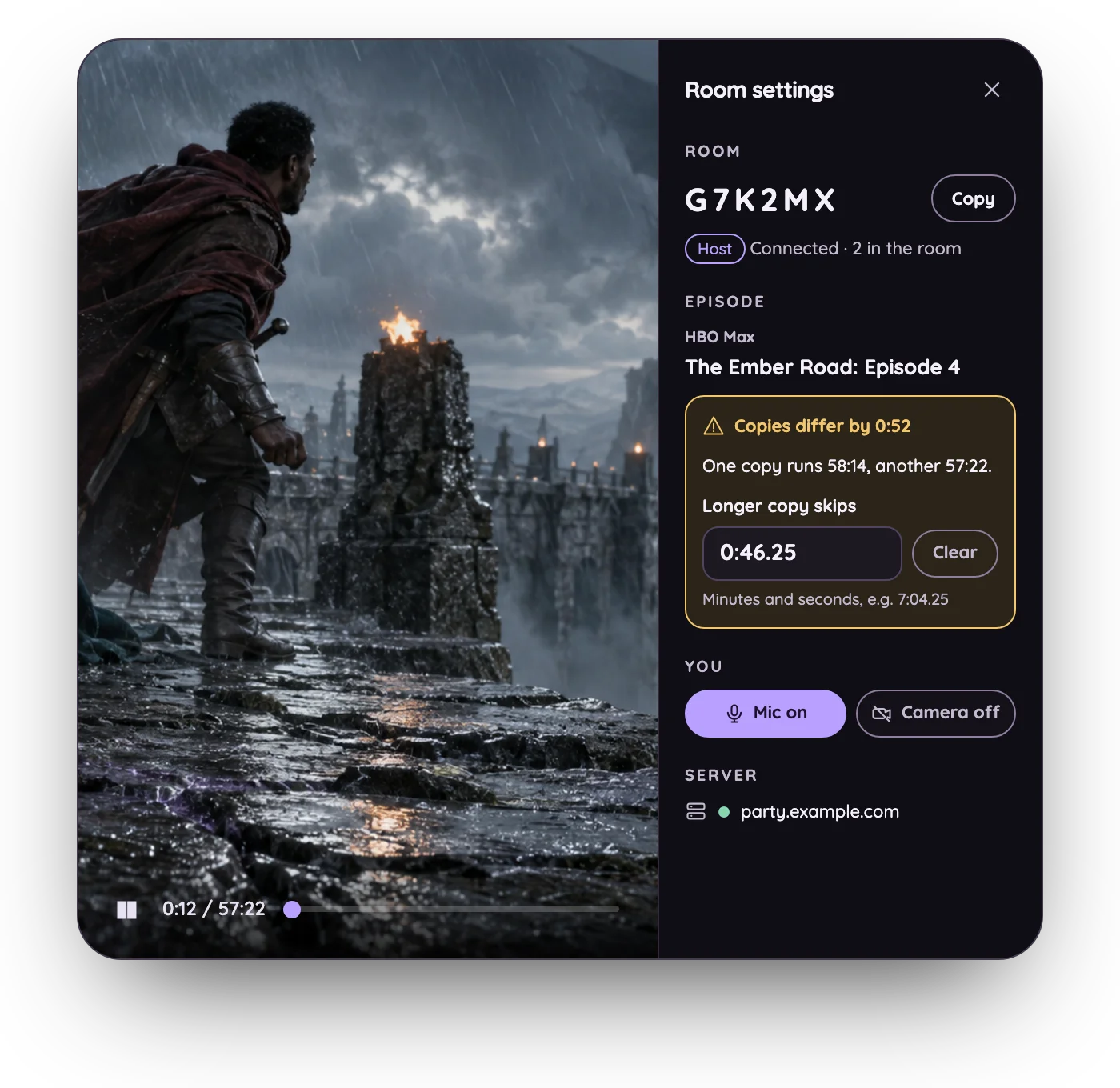
- The longer copy is ahead, seeing the moment first: it skips too much. Lower the value by about how far ahead it is.
- The longer copy is behind: it does not skip enough. Raise the value.
A new value goes to the room when you press Enter or leave the field, and
everyone on the longer copy jumps to the new position at once. So you can try a
value, wait for the next cut, and try again. Type minutes and seconds, to the
hundredth (0:46.25), or seconds alone (46.25).
Work in whole seconds first, then tenths. Stop when the two are within about a quarter of a second of each other: that is how far apart the room already lets viewers drift before it corrects them, so a smaller change may not visibly move anything.
For example, the copies differ by 0:52, so the field starts at 0:52. After
Align, the people on the longer copy call out every cut about six seconds
early: six of its extra seconds are at the end, not the start. Changed to
0:46, the cuts land within a fraction of a second, and 0:46.25 lines them up.
Start over
Clear removes the value, and the notice comes back to the rail with the difference filled in again.
If the copies line up from the very start and only their endings differ, set
the value to 0:00 and press Align. The room then knows there is nothing to
skip, and the notice goes away.
Good to know
- It is for this episode only. The next episode starts with no skip, since it may have no extras at all. If its copies differ too, the notice comes back.
- Only the longest copy skips. With three or more different lengths in the room, a copy in between is left as it is.
- Only extras in front can be skipped. Ad breaks inside the episode are a different problem; see ad-supported plans.